TsukuCTF 2025 writeups
This post consists of writeups of the challenges CYB3R_BO1 had solved in TsukuCTF 2025.
TsukuCTF 2025

About TsukuCTF:
TsukuCTF is an annual CTF hosted by TaruTaru
This is a CTF with Japanese OSINT as the main genre. There are a few other genres mixed in as well..
- TsukuCTF 2025 will be held online (competition URL: https://tsukuctf.org/ ).
- The duration of the event is 24h00m from 12:00(JST) on 05/03/2025 to 11:59(JST) on 05/04/2025.
- Genres will include OSINT, Web, Pwn, Crypto, etc.
- Maximum number of players per team is 4
- The event was conducted online from Sat, 03 May 2025, 08:30 IST — Sun, 04 May 2025, 08:30 IST.
This is their CTF webpage - https://tsukuctf.org/
This is their CTFtime profile - https://ctftime.org/event/2769/
tsukushi
Welcome

Translation:
Flags are listed in the “announcements” channel of the official TsukuCTF Discord. Flag Format: TsukuCTF25{}
Explanation:
As the description said the flag is in the anncouncement channel of the discord server. I head over to the discord server, checked out the announcements. I found the flag in the same message they have announced the CTF has started.
I got the flag!
Flag: TsukuCTF25{welcome_to_TsukuCTF_2025!}
OSINT
curve
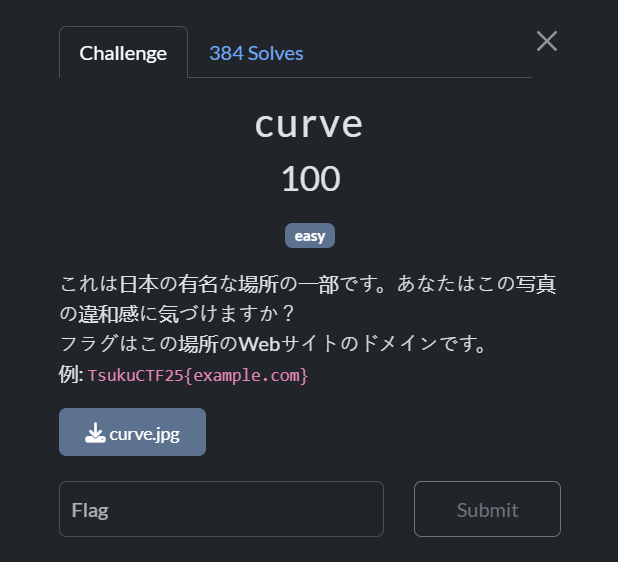
Translation:
These are some of the famous places in Japan. Can you spot anything unusual about this photo? The flag is the website domain for this place. Example: TsukuCTF25{example.com}
Source:
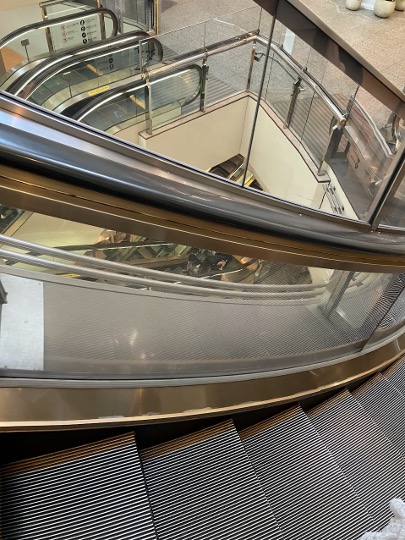
Explanation:
After downloading, I used google lens on the image. After looking at few images I understood that the image is of an escalator in Landmark Tower (Yokohama), Japan. Searched for it in google, found it’s official website
I got the flag!
Flag: TsukuCTF25{yokohama-landmark.jp}
destroyed

Translation:
Identify the school in the photo of this Telegram post. The flag format should be the coordinates of the location rounded to the nearest 4 decimal places and written in the format TsukuCTF25{latitude_longitude} to the nearest 3 decimal places. Example: TsukuCTF25{12.345_123.456}
Warning: In the process of solving this problem, you may see direct images related to war.
23:14 GMT+9 Update: Flag added
Source:
Explanation:
After visiting the telegram channel, looked over the images, checked the description of the post. Found that it is Stepne Community Gymnasium and from the flag emoji it is in Ukraine. So the war must be between Russia and Ukraine. We can see multiple news pages about the gymnasium when we use google lens on all the provided images.
After using google maps and searching over Stepne in Zaporizhzhia Oblast looking for the gymnasium for quite a period of time. Got the coordinated, rounded them.
I got the flag!
Flag: TsukuCTF25{47.797_35.306}
rider
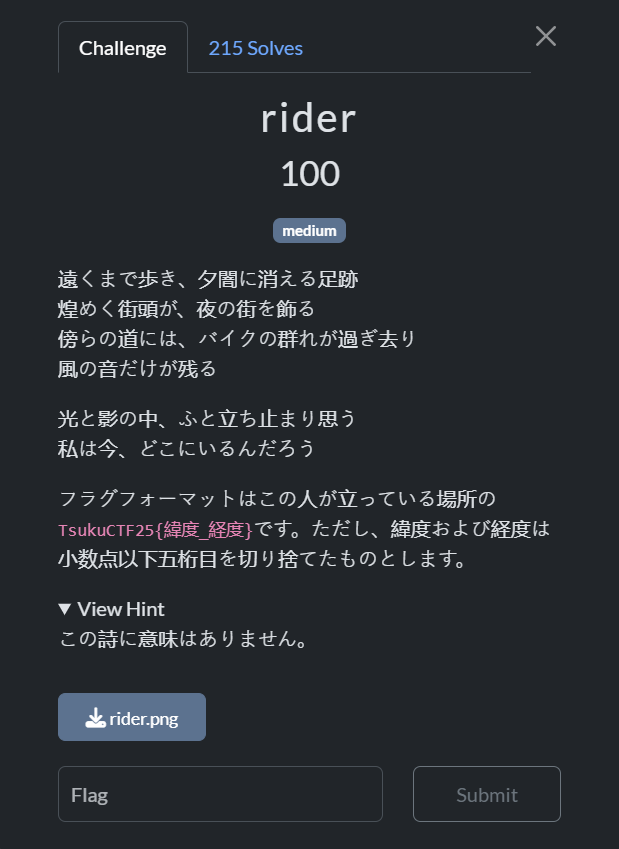
Translation:
Footprints that walk far away and disappear into the evening darkness, The glittering streetlights decorate the city at night, A group of motorbikes pass by on the road nearby, Only the sound of the wind remains, In the light and shadow, I suddenly stop and wonder, Where am I now?
The flag format is TsukuCTF25{latitude_longitude} of the location where this person is standing. However, the latitude and longitude are rounded down to the fifth decimal place.
View Hint: This poem has no meaning.
Source:
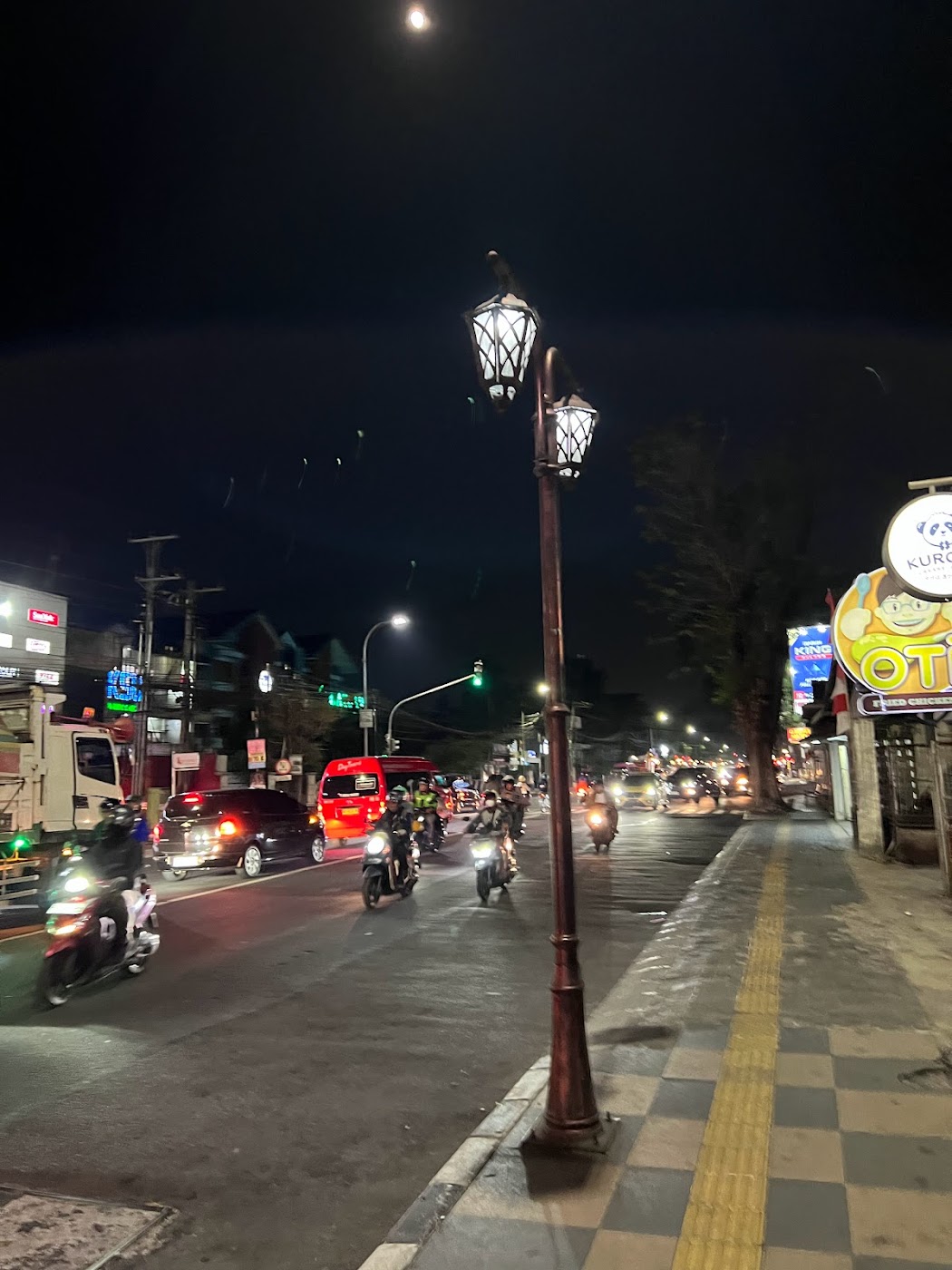
Explanation:
After looking at the image and using google lens, found some restaurant named “OTI fried chicken “ which is a restaurant chain in Indonesia.
Using google maps and the restaurant’s official webpage, I looked over its branches. After looking at some of the branches came across a branch which has a panda logo on the side of it and the same street light from that in the image. Got the coordinated, rounded them.
I got the flag!
Flag: TsukuCTF25{-7.3189_110.4970}
buildings
Translation:
Once that building is built, the sky will probably get narrower again.
The flag format is TsukuCTF25{latitude_longitude} of the location where this person is standing. Note that the latitude and longitude are rounded down to five decimal places.
Source:
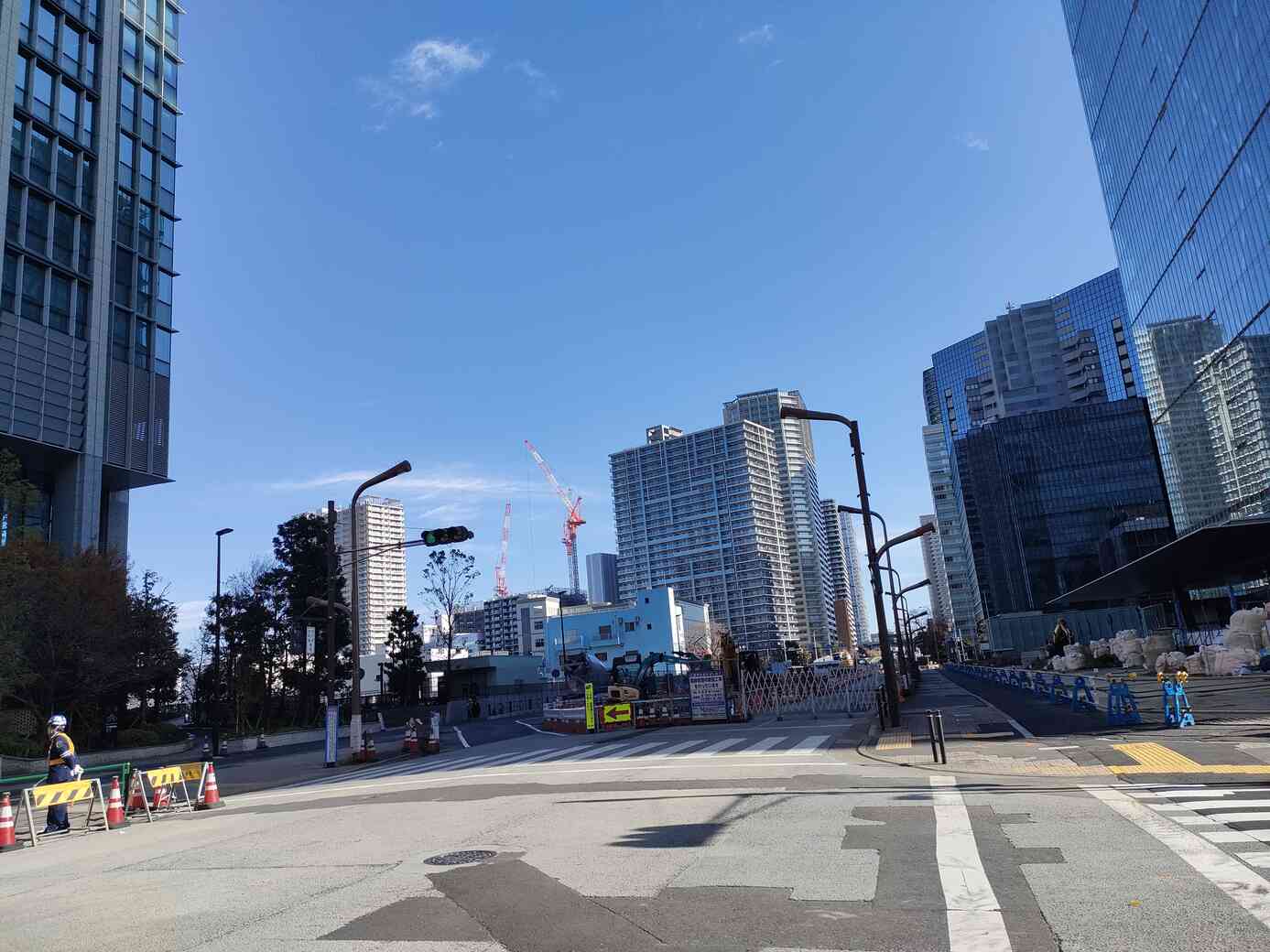
Explanation:
Used Google lens on the image. It provided me with two bulding names - Global Front tower and ロイヤルパークス品川 (Royal Parks Shinagawa). They are both from same place that is - Minato City, Tokyo, Japan.
Using Google Maps searched for the places. Found the buildings that resembles those in the image. As the photo is taken on a road, I followed the road and observed the buildings to position them just like how the image looks. I got to the position where the photo was taken as everything matches perfectly. Got the coordinated, rounded them.
I got the flag!
Flag: TsukuCTF25{35.6318_139.7431}
power
Translation:
I’ve felt the power.
The flag format is TsukuCTF25{latitude_longitude} of the location where this person is standing. Note that the latitude and longitude are rounded down to five decimal places.
Source:
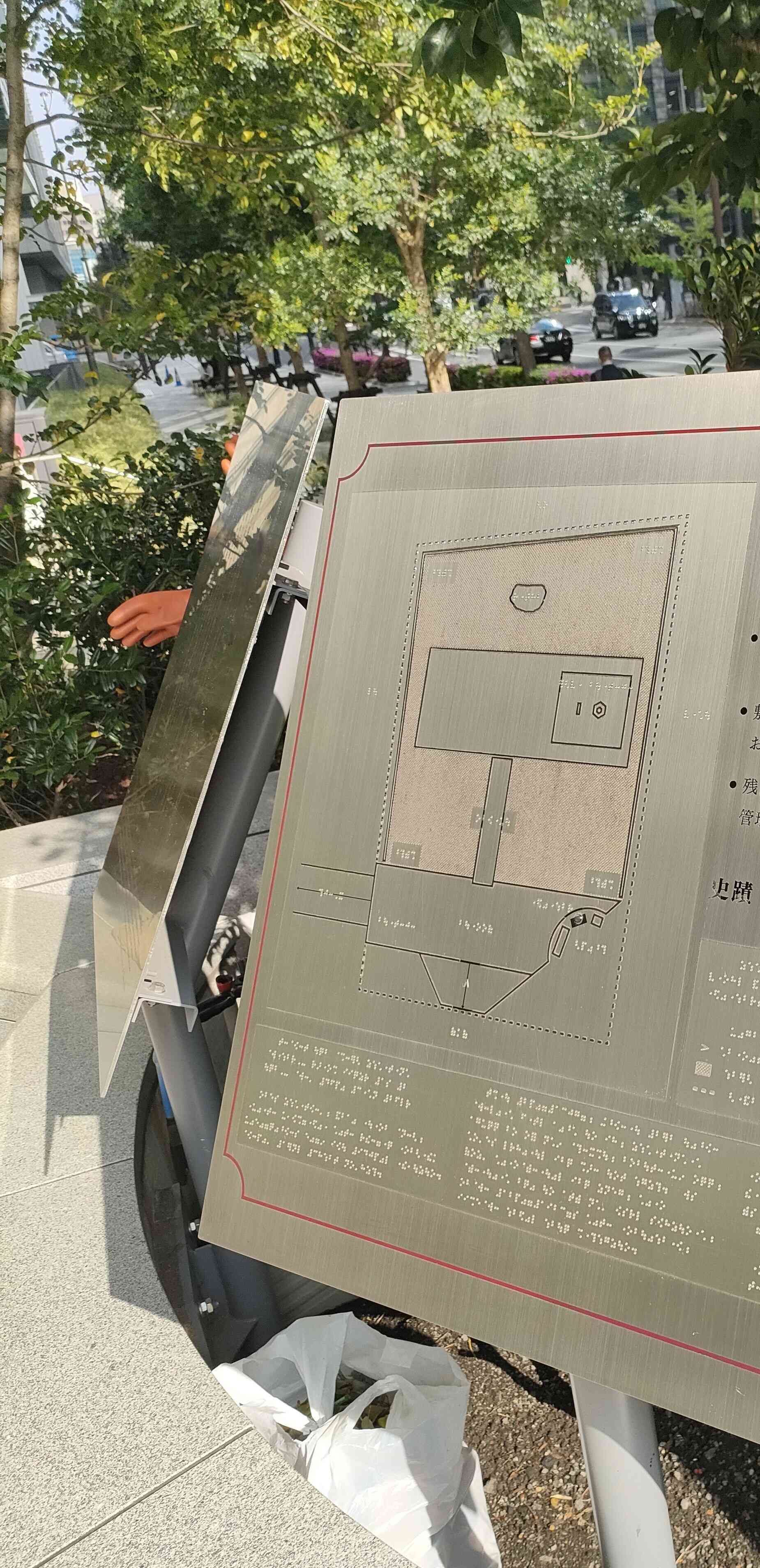
Explanation:
Looking at the image, it is tactile map of someplace in Japan( as the image contains a japanese character). It contains a braille etched metal plate.
Used Google lens on the image, I searched the image by cropping it various ways after I cropped it full and added “Japan” to the search, looking over the results, I found the image which resembles the photo. The image is from a stockphoto website. After reading the description, it seems that the image is of “Taira no Masakado’s Grave”
Using google maps went over to the location, looked for the maps, found them. Got the coordinated, rounded them.
I got the flag!
Flag: TsukuCTF25{35.6872_139.7628}
Crypto
a8tsukuctf
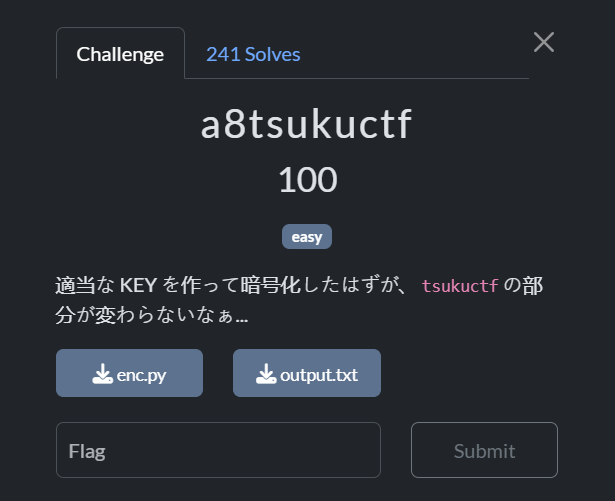
Translation:
I created a suitable KEY and encrypted it, but the tsukuctf part remains the same…
Source:
enc.py:
1
2
3
4
5
6
7
8
9
10
11
12
13
14
15
16
17
18
19
20
21
22
23
24
25
26
27
28
29
30
31
32
33
34
35
36
37
38
39
40
41
42
43
44
45
46
47
import string

plaintext = '[REDACTED]'
key = '[REDACTED]'

#    <plaintext>               <ciphertext>
# ...?? tsukuctf, ??... ->  ...aa tsukuctf, hj...
assert plaintext[30:38] == 'tsukuctf'


# https://ja.wikipedia.org/wiki/%E3%83%B4%E3%82%A3%E3%82%B8%E3%83%A5%E3%83%8D%E3%83%AB%E6%9A%97%E5%8F%B7#%E6%95%B0%E5%BC%8F%E3%81%A7%E3%81%BF%E3%82%8B%E6%9A%97%E5%8F%B7%E5%8C%96%E3%81%A8%E5%BE%A9%E5%8F%B7
def f(p, k):
    p = ord(p) - ord('a')
    k = ord(k) - ord('a')
    ret = (p + k) % 26
    return chr(ord('a') + ret)


def encrypt(plaintext, key):
    assert len(key) <= len(plaintext)

    idx = 0
    ciphertext = []
    cipher_without_symbols = []

    for c in plaintext:
        if c in string.ascii_lowercase:
            if idx < len(key):
                k = key[idx]
            else:
                k = cipher_without_symbols[idx-len(key)]
            cipher_without_symbols.append(f(c, k))
            ciphertext.append(f(c, k))
            idx += 1
        else:
            ciphertext.append(c)

    ciphertext = ''.join(c for c in ciphertext)

    return ciphertext


ciphertext = encrypt(plaintext=plaintext, key=key)

with open('output.txt', 'w') as f:
    f.write(f'{ciphertext=}\n')
output.txt
1
ciphertext="ayb wpg uujmz pwom jaaaaaa aa tsukuctf, hj vynj? mml ogyt re ozbiymvrosf bfq nvjwsum mbmm ef ntq gudwy fxdzyqyc, yeh sfypf usyv nl imy kcxbyl ecxvboap, epa 'avb' wxxw unyfnpzklrq."
Explanation:
After checking the encryption python file it seems that this challenge is based on custom autokey Vigenère cipher. Based on the functions and the contents of output.txt, I have written a decrpytion python code:
1
2
3
4
5
6
7
8
9
10
11
12
13
14
15
16
17
18
19
20
21
22
23
24
25
26
27
28
29
30
31
32
33
34
35
36
37
38
39
40
41
42
43
44
45
46
47
48
49
50
51
import string

ciphertext = "ayb wpg uujmz pwom jaaaaaa aa tsukuctf, hj vynj? mml ogyt re ozbiymvrosf bfq nvjwsum mbmm ef ntq gudwy fxdzyqyc, yeh sfypf usyv nl imy kcxbyl ecxvboap, epa 'avb' wxxw unyfnpzklrq."

def f_inv(c, k):
    c = ord(c) - ord('a')
    k = ord(k) - ord('a')
    p = (c - k + 26) % 26
    return chr(ord('a') + p)

def decrypt(ciphertext, known_plaintext_segment, segment_position):
    idx = 0
    plain = []
    cipher_without_symbols = []
    decrypted_key = []

    letters_only = [c for c in ciphertext if c in string.ascii_lowercase]

    for i in range(len(known_plaintext_segment)):
        c = letters_only[segment_position + i]
        p = known_plaintext_segment[i]
        k = (ord(c) - ord(p)) % 26
        k = chr(ord('a') + k)
        decrypted_key.append(k)

    idx = 0
    key = decrypted_key
    for c in ciphertext:
        if c in string.ascii_lowercase:
            if idx < len(key):
                k = key[idx]
            else:
                k = cipher_without_symbols[idx - len(key)]
            p = f_inv(c, k)
            cipher_without_symbols.append(c)
            plain.append(p)
            idx += 1
        else:
            plain.append(c)

    return ''.join(plain), ''.join(decrypted_key)

lower_only = [c for c in ciphertext if c in string.ascii_lowercase]
segment = "tsukuctf"
segment_position = 30  # Based on the assert

plaintext, key = decrypt(ciphertext, segment, segment_position)

print("Recovered key:", key)
print("\nDecrypted plaintext:\n", plaintext)
The above code when ran, returns the output:
1
2
3
4
5
Recovered key: annzbwue

Decrypted plaintext:
 alo xok aqjoy this problem or tsukuctf, or both? the flag is concatenate the seventh word in the first sentence, the third word in the second sentence, and 'fun' with underscores.
Based on the decrypted plain text, the flag is seventh-word(firstSentence)_third-word(secondSentence)_fun.
I got the flag!
Flag: TsukuCTF25{tsukuctf_is_fun}
PQC0
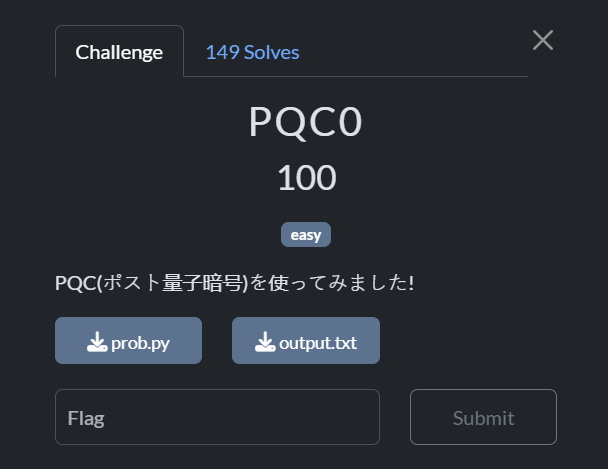
Translation:
I tried using PQC (Post-Quantum Cryptography)!
Source:
prob.py
1
2
3
4
5
6
7
8
9
10
11
12
13
14
15
16
17
18
19
20
21
22
23
24
25
26
27
28
29
30
31
32
33
# REQUIRED: OpenSSL 3.5.0

import os
from Crypto.Cipher import AES
from Crypto.Util.Padding import pad
from flag import flag

# generate private key
os.system("openssl genpkey -algorithm ML-KEM-768 -out priv-ml-kem-768.pem")
# generate public key
os.system("openssl pkey -in priv-ml-kem-768.pem -pubout -out pub-ml-kem-768.pem")
# generate shared secret
os.system("openssl pkeyutl -encap -inkey pub-ml-kem-768.pem -secret shared.dat -out ciphertext.dat")

with open("priv-ml-kem-768.pem", "rb") as f:
    private_key = f.read()

print("==== private_key ====")
print(private_key.decode())

with open("ciphertext.dat", "rb") as f:
    ciphertext = f.read()

print("==== ciphertext(hex) ====")
print(ciphertext.hex())

with open("shared.dat", "rb") as f:
    shared_secret = f.read()

encrypted_flag = AES.new(shared_secret, AES.MODE_ECB).encrypt(pad(flag, 16))

print("==== encrypted_flag(hex) ====")
print(encrypted_flag.hex())
output.txt
1
2
3
4
5
6
7
8
9
10
11
12
13
14
15
16
17
18
19
20
21
22
23
24
25
26
27
28
29
30
31
32
33
34
35
36
37
38
39
40
41
42
43
44
45
46
47
48
49
50
51
52
53
54
55
56
57
58
59
60
61
==== private_key ====
-----BEGIN PRIVATE KEY-----
MIIJvgIBADALBglghkgBZQMEBAIEggmqMIIJpgRAv9B0xN9H9VxT9h6t98wqSuqJ
Byif6N8+FqaTBY9y86Rxbi14UAsxBvzbSZ7aVElR9zdXlYp1OYKbCyYo1Fl5twSC
CWB8y5x69sGKKZUUOsGolY+HO2KMuIKwAKk/IxyuaCWJM8MqJaTVMZkWainb2Ylg
4YjVJCUvELUbCnImMIgbNxktNEKuumnWkadyw7/kQHpkuQ90lMW4qDhZw2whrJ2B
Y0LaWFXFt8xFaM2B8aAaUsfWOJD5YQJbwzr9BhzuNU17E4yvE3s/1cNj8FcLEHUA
l7tPsk8U6sh08DpUCIv0/DAyPKGA04K3UoFfpsnTiD1PgF9WOZnXpjiVAhI5dFgV
2ByXRjbER0lYChVjtJFtmlKecKkYt8fIAAMShMlZcrf8qm+3+XyNykcdwD9D2bdK
1ilS0TX91Y9FInsNXMHJJaaGYb2XbAqitmS2AQBRKi9ENcYUmhEDl4gFALh42AGi
vHKaBpr9+7SMNY2vrBXVO1jn4THmol2NajLR4iiN9HH1ORDJYQAbuEk2AmnhsDhJ
+xENBzCcY1g7lQ5hgrvS0ZR2Wk8P6ckL+hOUNQ54yn7CxqZA0o1ocJajuVWnc8EB
AXwYRngGq1MjtQE051LxIzdBiBobJ0w+Wgf8XAw2MhDfcy2RgAr+kc7X42ziO1u/
twToqbS855XYcFYIA32BEbp+IwNvusrsvDKQbKhWwile3BAJRAmOI7HGpxXqZySv
w2HGsVouzK0yrCozmbndypQzGz3gB5wxySs0c5eqqY09EM08vLdo8qQ/BYHvqTuz
rICScxxY2FWNVqIWWlmQ1GcDo7diiSrNCYbEO7fCycBzCyQreJsxRXIFElrexkiS
ljQRtJFH8BmKOc/ydEDPoZ5P3LHm5A6jh8FZVAE1eYCcG5fbJcvZKBKDOoJ2p5PG
sI7SWaXc9wC8Ar9CtoFXZW5oB2Z90zEyOgyH3JhN7CCGpYcl6iydUjAwEJHy+2rB
mBeCQ7y0Njh4OnyTB44cQijTAzY3IoJHNYSLgoyoyok3az0CabSwBR64w3SZSXb9
ucXdVI2g8lZDlk9Qul3xPIFzvCk8TLstoL0hSoNZlgVJZZKp7L2HuUt892rY+g72
dcTH+zeBjASJosY3NW7+2arXjKS+xx7mcSYTnDHaw8BLam3bOHGsyIs5x7MaHA98
IgUi5hpYjEAwGTEvs29IEKagZK3PlZwUw2++8wq/W3Xe0T1HurmFqFb82D0MnLqJ
rKwITDH1eQCQazDc5Y+LiByikoKPaXhlgaEvw08Z8HysJcHZ63CyJQ/tSABHslyD
wwzvkqQ51SZgTF6ZEg5yYgLUiA3kIS606iY3MiGU64fzOHgJlr0TdIBg8pIfsACA
ibQPNCZSTLtKw7WRLMvcyb8zulx/FcsaOFFUhVT9VAT/knLQSQCB0TBEmC2v+ZGt
4TRzRJVC+oRt2qYxebuAZWPssD0WaQpj0G8ARWNHdXIRC3IpzMLv6CqRJnlz/Gm4
vL9ewGFbx8JBGWIvWZMsfK4gBbBwMmEuJpB4EytLcE9ycVXNIlG/EoygrLGZkh7o
C68U4p+jsQG+ME8qBq5GtDRRBIap66ZjpqYCIWuw+gnXm89wuH5ulaVyCo77xDCr
FETgsq9vqz4PtIyjZSl6eV5oI4iT4IMK0J2TZaKVmXtDhlg4G8ZI1Ha0Wkh8bL1Q
aEHGlFj2iGkcqX7rtps6CAT3lFHZ5UdvCTcdeJH/PM++ERvOC1psIzBB9rmeQbMV
Uj2cqkE3YDZ4YUAb2k41SL2zFUFP5XQh8zu/By2tVytxeh2gJMBpK61fwq0lgMav
8koGyctvC7zptIA3o8luCjKvShbAQAStebuWZSYoWrUvKxrGrGfS658Oy25tUTS3
oFBQHAODaTfqGoBKuQZrm10NVzPrGGhU8YFlTL1OJmOwqx8A0IBOg55W44jG0ypm
OJBdxw2z+ZUOxMcQ4x9yqInfmxvC85zbah0LkTMMsgkhSL45a4AeHL1nV2J9QmSL
pQzombtKMX9fRHX/By+R5DKuSl7aaHoRG7Xzw5aHOTXCFw4UkTzecqU86c516VxZ
d2raMIVM5XQ0cS9B3MSSIoNBVzCp4CwCogFv0FqQWzIYUFv2AyZ1ymUTVGfPioj+
CF8VQTrKKKkF53hmdXjEMgLyF3iQgMPwVB8haQQX0ICTkiEMhUhcILY6nI7Swc/n
m1NaxrBHYZdySYm6KSeDWCS7oj/NZi86kMZQGHJ9ijYBZiYai7EfE1d4UCVagiKI
h6sgWcMU1SPVVHiAG2S/ojMDGGiXFQ8B7H9cmhGG1zKVukRy5lU6lJxdQox9Bh7s
dSVzFlz3UlGyS8/7CnCHs4NqpbzoiRjPCWTlGoti3EphRiEZM70dEj6eG2rIUD+2
hXkFAjzupWJVSzCJhcW0xD13+iwX9AWU1iZMZjc9ZLhNFX3PaCo5jBOvFMSSYGi0
WA9BCbx8RMhUV5+bETafKlrd9I3rObq7Zxzo6CtAp5a1YMZztL408YuH+kbbeXET
2s87AXGR4B86qxIz4LEN0gK9lcJlGs1FpxH4AsGfpGgCSKYEBDvZjGZvO4wBlC7h
Bp/HSDRreieb6XlOMoyveK/JMrvIqww6hStZeJFpibJ6tx1AmJl5OC7h0SsJfH1n
ljGuhKe/5Dy3q7uadJ+X3ARUwgVAGgZVuKILiqJSJb1oys4M2huIPBxdEgs3ARXW
h6ZZ9r4zqoIbck7nkcqlEh5+QsRj1gN1jJU7EDPROkmW6SV4G5OREX6wg7C9ljUj
FZz6IYxW9XKrcMQTdGOa+BHa5B2vxMuuIFuIK49LjAHdC4VE900nYm7DTI7ksIwM
YGALKBXo+0Fa+rosIQ+qsLlH8LmQwUL61SkSRYmQEzKUNbDJi4lbgxSlgT60QcAi
HFEcabS7A6QwW6UzfHovDDWkt7LIa8bN2U0ug4G8plWVQ8I9aVi+N1ebpoqUspOE
IyKfl7neIjgs9hL7M4+1HDoC0GB+K2MdgJDA9q/cAEW62xumghN+W4uewg92Vx7U
iDH8iBjQiUQP2ax5XA5hd2PiKAT8eJzPo6uCYAg/LDCNJxXNNXf1Wj2JwrKsR1KB
O4k6lUhb64loVqbJmYSMsyn3kmLLW8JoAGpP9DwfSQRPZrdD8JgOhwdmQWJ+clIb
fHq1bjH5/Y8QsVRwIboRAjcpiX0kNXd/EyidHYgY2Nud1N+1Z7KyMlxaZCEdclDE
qbv0QZNXTdKz3c0Tni4rO1x3cW4teFALMQb820me2lRJUfc3V5WKdTmCmwsmKNRZ
ebc=
-----END PRIVATE KEY-----

==== ciphertext(hex) ====
83daaca5593e84b6b902645a25920e6f60c7c72ca8101b56b878434f20cd838f0f2086d3385e528f2687625a38822b74097d109f6d7b3ac730b7fd6a47c988324a6f3b3133b868d3db8b473b597151df4e4091e3ebf77843b6f84c420ffea899f6465d60ffabb3e1de10da2055a43abff172ecf44130a8f3663ff5c39a61d6a10d13cd72f0f289815c75c17687fd35a82503cfbdf790c5164ea739e0f34e7b23cd017a493bf60f8d0d083ce50257bdff7ec5a882e8c1132fc0ef7fed7543d74eb17624266413093d8ef1b80eb94ce97af443fa479a131b59393495d45f8b79271105abed644a423bad0a76bb86de6c5303c2f2eaf36b9d517201d3c670b46fde3e9282346abee87b9aea188936abef98ab9a10914007a26f6f05ccb007f0784870444e4c49002e256b8acd2842ac5d574b1b8592949c9e615882a811a101262713b3c673a885b44a4eac81000746a7ea7ec7e02b4511dd12f57dca62fb263cdc1dd9a1e5599b7c4823d02811acb4c51dff09060591be3370e250246ccd15dcd29ed037805a478ff87edecf184db4f5ce2f929212fc36b9f9d22fec6a5ca69d966ca10fff9d0aac6fcb197fdf03ddd5d32fcff27200f96d3eb7e6628df601874b83ead5e2bb965fb02d01e5e9593938b5ad49e473998fad055010fa8caf04366cab97838cbeed94d9b3b1051ea79d0e8d2dfae83b96efcc82b81539534d00825f8a22492bfac3869ee52af470a7718ee2149c1aa69377f675f922ac2d79477bdf5788f5af3a4b9bad63838b09c07069b1651416f9631475397e86739502dfd89b4c603bc7ed2c6c8fe46762db2412104c0dfdbf265b4f9dfc95d4e2408f9237e4c37e395fe219254569b48d7e3bd38807285204cb434f3a8e17ce96d95182a38c4e788f6bb7fac129e457f26769b80489d47631033f4d47702fc64649e40bb17818438ce04659ecf440b70e29ab332bf348897e504025250a12aea1297b47e6f6a8b4334152dea44f12dead1c2ae07e944dc214fc15a7eb3eedcbe7528c75daf7891ea59b92c26dd2a8e7d8e8a5e61d621c3c29132fade8a5c03a25fb8918dab80fe1b2ef0ac88a33d1b85f6e09f495813bea33a310e98f74f9286f78e451ef9a43f35f738a0d1148bd427fc51cc5e1da59d6c3ad4531f63b3aacda096d062b73e66b1f5a74d015da0dfb215b52c65203ba2a1c7ca67996081451669989f919b33b4c016faa9e81722dbe2c6132976c997172a34fd95ba6023bb4798b6ebded93deb0f80a493bb4d430b6faf01010f4e14504c8a46213ab749aacd6f0f08dc0157f132859f6d02312ed6c015c6e2cc63c97e6ad6e7408135f45a0e1f4ae9a858c1d7dbd40cf7ac33f74d61a3dfcaa8fda39768e088ead498093d71e930f03d320ef46f47d45995453950d21fba2704486c203789cf616fbf6b7c9f120c06c43ec0548b8a90201aa54e0d756d1c3e5c1e7bf56cc887c8eeaa173229b644da640671872cbcf9a96150c2deafdc7ea5036a9a9fa828ee3558e4e65a988131ea7ab65
==== encrypted_flag(hex) ====
5f2b9c04a67523dac3e0b0d17f79aa2879f91ad60ba8d822869ece010a7f78f349ab75794ff4cb08819d79c9f44467bd
Explanation:
Looking at the given encryption source code and output.txt. The code uses ML-KEM-768 (Kyber768) for key encapsulation and AES for encrypting the flag.
The provided prob.py script generates an ML-KEM-768 private key: priv-ml-kem-768.pem, derives the corresponding public key: pub-ml-kem-768.pem. Uses the public key to encapsulate a shared secret, producing: ciphertext.dat and shared.dat( the derived shared secret ).
To decrypt it, we need the shared secret. For that, from the output.txt the created three files:
- Private Key: Save the PEM-formatted private key between the —–BEGIN PRIVATE KEY—– and —–END PRIVATE KEY—– lines into a file named priv-ml-kem-768.pem.
- Ciphertext: Convert the hex string under ==== ciphertext(hex) ==== into binary and save it as ciphertext.dat.
- Encrypted Flag: Convert the hex string under ==== encrypted_flag(hex) ==== into binary and save it as encrypted_flag.bin.
Used OpenSSL to decapsulate the shared secret.
1
openssl pkeyutl -decap -inkey priv-ml-kem-768.pem -in ciphertext.dat -secret shared.dat
Used this python script to decrypt the flag:
1
2
3
4
5
6
7
8
9
10
11
12
13
14
from Crypto.Cipher import AES
from Crypto.Util.Padding import unpad

with open("shared.dat", "rb") as f:
    shared_secret = f.read()

with open("encrypted_flag.bin", "rb") as f:
    encrypted_flag = f.read()

cipher = AES.new(shared_secret, AES.MODE_ECB)

decrypted_flag = unpad(cipher.decrypt(encrypted_flag), 16)

print(decrypted_flag.decode())
I got the flag!
Flag: TsukuCTF25{W3lc0me_t0_PQC_w0r1d!!!}