CloudSEK CTF 2026 Writeups
Writeups for the challenges I solved during CloudSEK CTF 2026.

CloudSEK CTF 2026 was a 33-hour solo hiring CTF focused mainly on Web and AI security challenges. The infrastructure and challenge quality were excellent, with most of the web challenges requiring multiple stages of enumeration instead of immediately exploiting a single bug.
This post contains writeups for the four challenges I managed to solve:
| Challenge | Category | Points |
|---|---|---|
| Echoes of Runtime | Web | 100 |
| Internal Affairs - 1 | Web | 100 |
| Internal Affairs - 2 | Web | 200 |
| Total Recall | AI & ML | 250 |
Echoes of Runtime (Web - 100)
Challenge Information
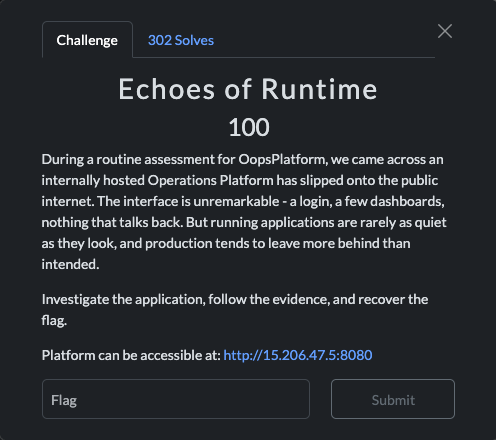
Initial Recon
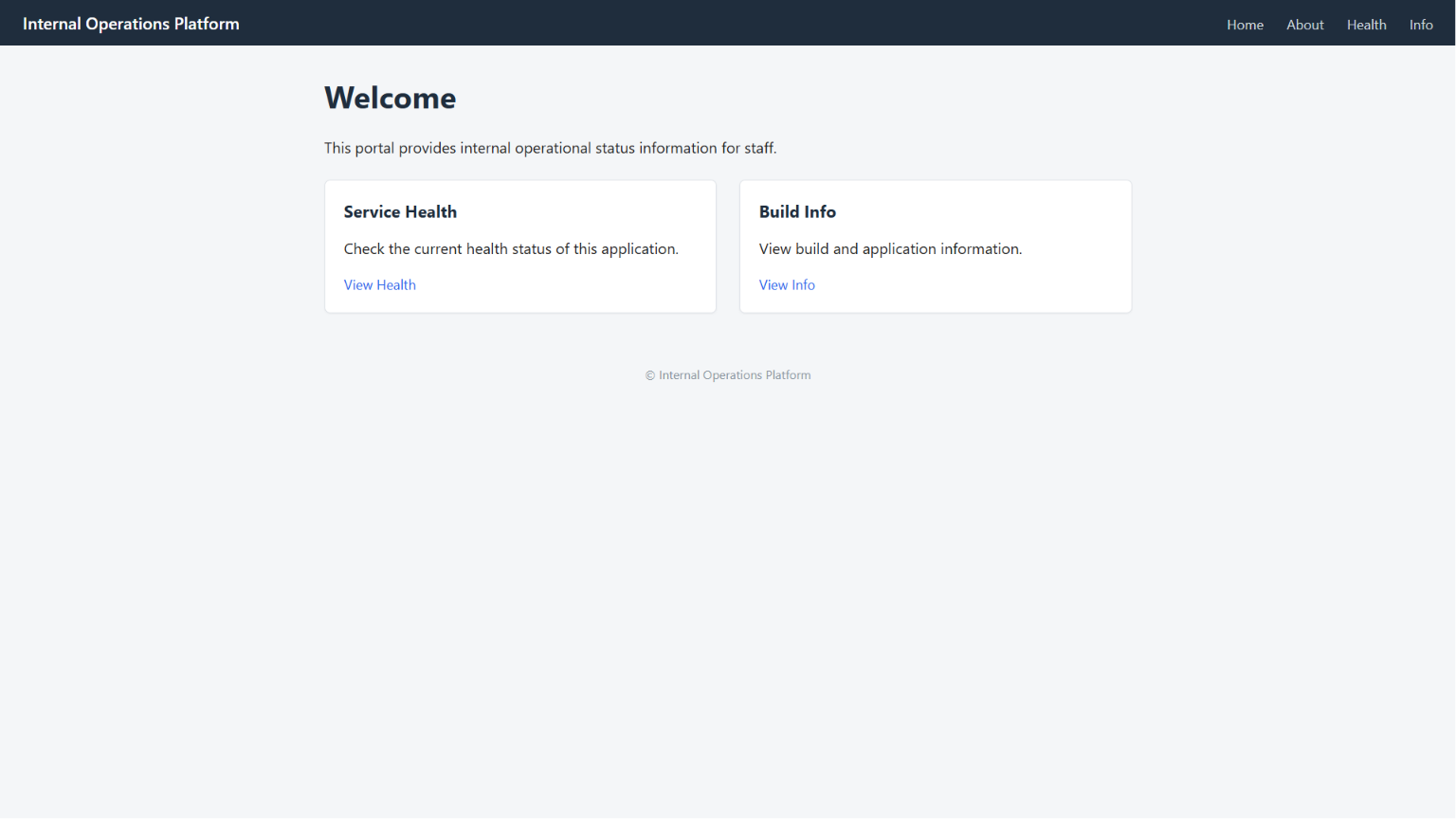
Opening the application didn’t reveal much. It looked like a normal internal dashboard with a login page and a couple of links in the navigation bar.
The first thing I noticed was that the application exposed two Spring Boot Actuator endpoints.
The application exposed two Spring Boot Actuator endpoints:
/actuator/health/actuator/info
That confirmed the application was running Spring Boot.
Although the actuator index only exposed a couple of endpoints, I decided to manually check a few common actuator paths since developers often forget to disable them individually.
Instead of fuzzing everything, I simply visited a few well-known endpoints.
1
2
3
4
/actuator/env
/actuator/metrics
/actuator/loggers
/actuator/heapdump
Most of them returned either 404 or 403, but one endpoint immediately caught my attention.
1
/actuator/heapdump
Instead of denying access, the server started downloading a 7.6 MB HPROF heap dump.
1
curl http://15.206.47.5:8080/actuator/heapdump -o heapdump.hprof
Downloading the heap dump confirmed that the application was exposing its runtime memory, so I started looking for credentials and other interesting strings.
Digging Through the Heap
I didn’t bother loading it into a heap analysis tool initially. A quick strings search was enough to look for interesting keywords.
After downloading the heap dump, I started searching it for anything interesting.
My first searches were fairly generic:
1
2
3
4
5
github
token
secret
credential
password
Several strings appeared, but many of them were obvious decoys such as fake AWS credentials and expired GitHub tokens.
Eventually I found what looked like a valid GitHub Personal Access Token stored as a UTF-16 string inside the heap.
1
github_pat_11CIBH*************************************
That looked much more promising than the fake credentials around it.
Pivoting into GitHub
Using the recovered PAT, I authenticated against GitHub.
The token belonged to a user named godfather-commits and had access to a private repository called:
1
internal-ops-platform
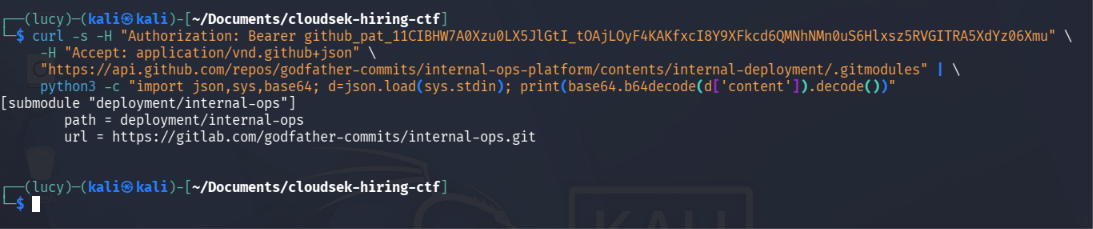
I didn’t find anything interesting at first, but one file immediately stood out.
1
internal-deployment/.gitmodules
Opening it showed that part of the deployment lived in a GitLab repository.
1
2
3
[submodule "deployment/internal-ops"]
path = deployment/internal-ops
url = https://gitlab.com/godfather-commits/internal-ops.git
The Final Piece
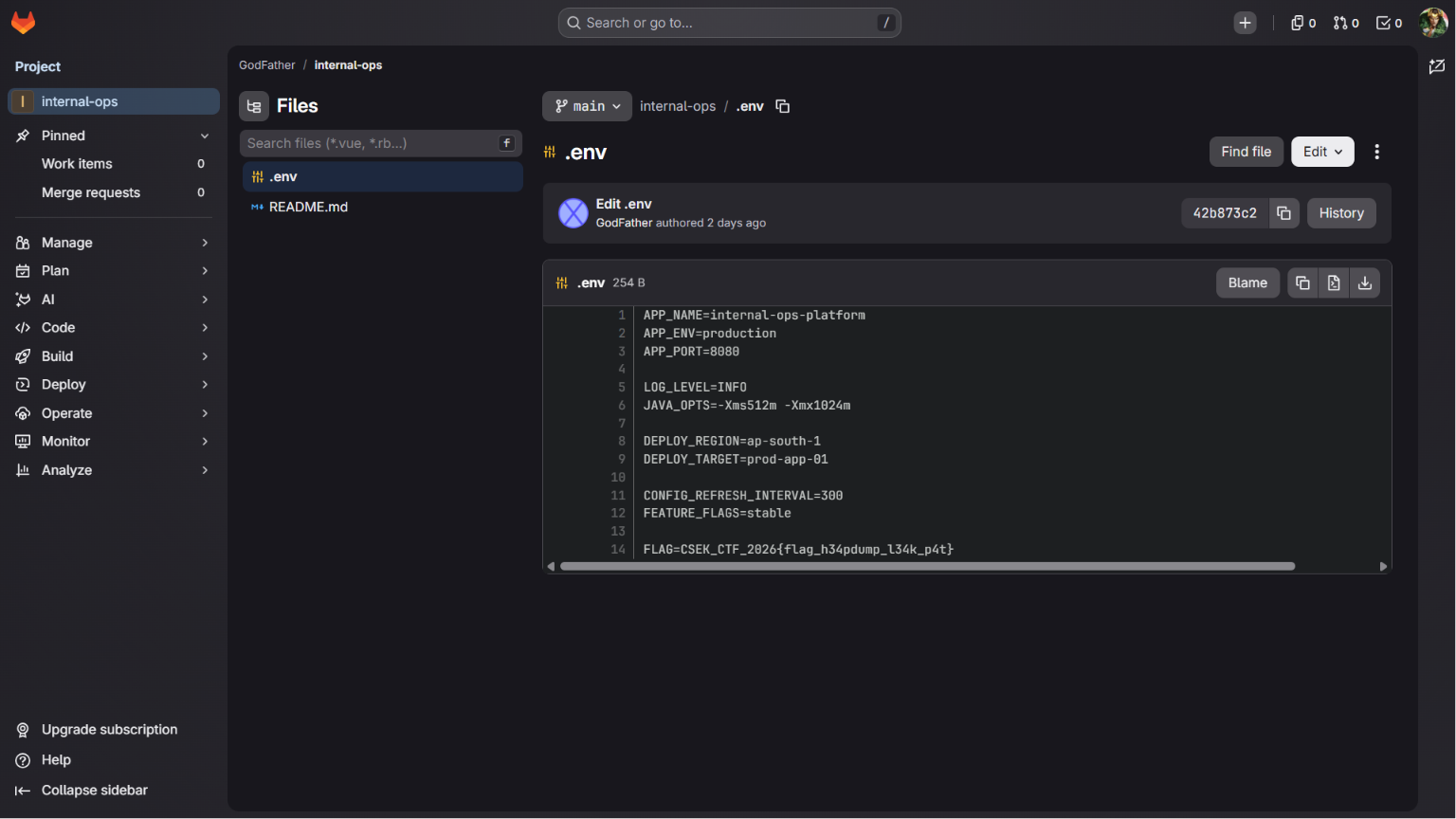
The referenced GitLab repository was publicly accessible.
While browsing through the repository, I noticed something developers accidentally commit far too often: a .env file.
Opening it revealed the application configuration along with the flag.
FLAG=CSEK_CTF_2026{...}
Flag
1
CSEK_CTF_2026{flag_h34pdump_l34k_p4t}
Summary
This challenge was a nice reminder of how dangerous exposed Actuator endpoints can be.
Even though the application itself didn’t expose any sensitive functionality, a single unauthenticated /actuator/heapdump endpoint leaked the application’s memory, which in turn exposed deployment credentials. Those credentials eventually led to a forgotten GitLab repository where the flag had been left inside a .env file.
The entire attack chain looked like this:
1
2
3
4
5
6
7
8
9
10
11
12
13
14
15
16
17
18
19
Spring Boot Actuator
        │
        ▼
Unauthenticated heap dump
        │
        ▼
GitHub Personal Access Token
        │
        ▼
Private GitHub repository
        │
        ▼
GitLab submodule
        │
        ▼
Public .env file
        │
        ▼
       Flag
This was a fun introductory challenge. None of the individual steps were particularly difficult, but chaining them together made for a realistic attack path that mirrors mistakes seen in real production environments.
Internal Affairs - 1 (Web - 100)
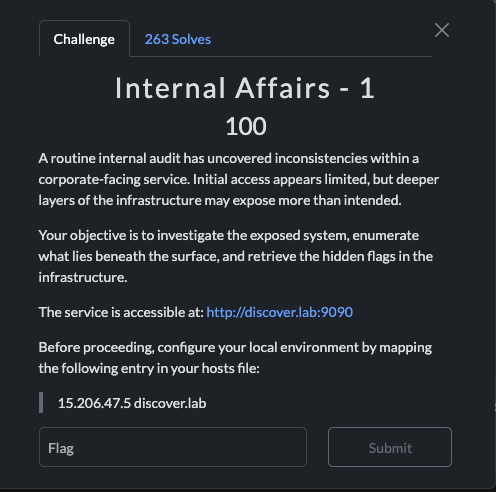
Challenge Information
Initial Recon
The challenge provided the hostname discover.lab, so after adding the supplied hosts entry, I opened the website.
Instead of an application, I was greeted with a maintenance page.
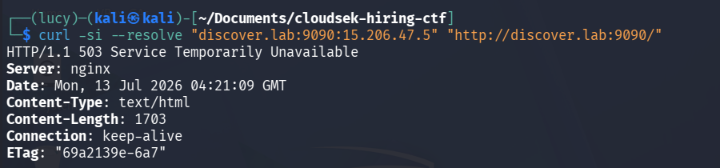
Every path I tried returned the same response, which suggested that the actual application was probably hidden behind another virtual host.
To confirm that, I performed virtual host fuzzing against the server.
1
2
3
4
ffuf -u http://15.206.47.5:9090/ \
-H "Host: FUZZ.discover.lab" \
-w /usr/share/seclists/Discovery/DNS/subdomains-top1million-5000.txt \
-fs 162,1703
Among the responses, one hostname stood out:
1
cms.discover.lab
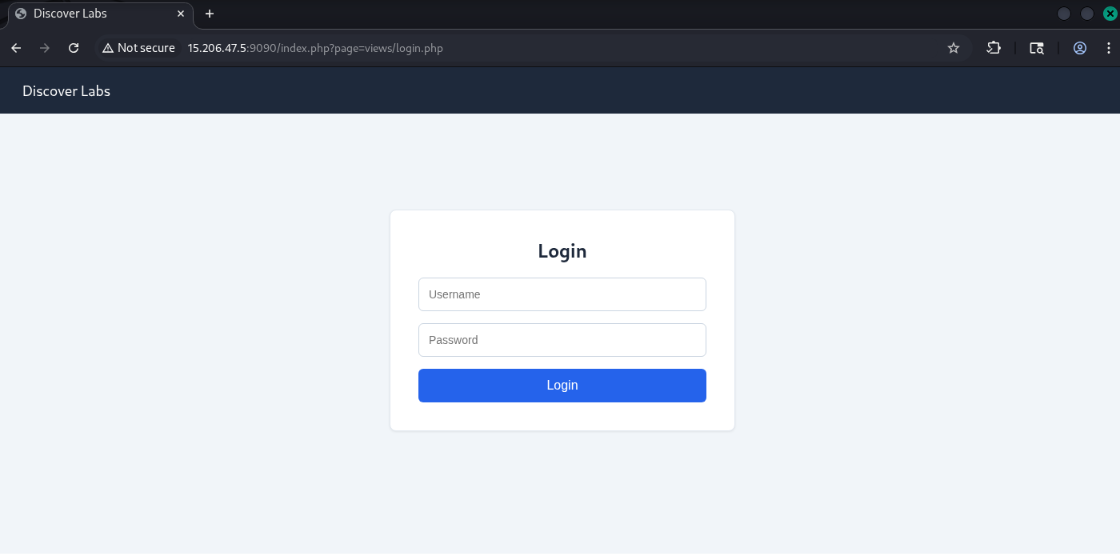
Opening it redirected me to the login page.
Finding the LFI
One thing immediately caught my attention.
The application routed pages using the following URL:
1
index.php?page=views/login.php
Since the page parameter controlled the file being included, I tried the usual php://filter trick to see if I could read the application’s source code. A quick attempt with PHP’s php://filter wrapper confirmed that the parameter was vulnerable.
1
php://filter/convert.base64-encode/resource=index.php
Instead of executing the file, the server returned its Base64-encoded source.
After decoding it, I found that the application simply included whatever was supplied in the page parameter.
Reading the Database
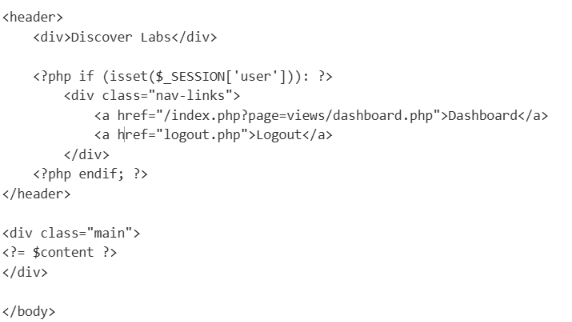
The next step was to inspect the login page source.
Reading views/login.php revealed that user credentials were stored inside a SQLite database.
1
$db = new SQLite3("../data/discover_login.sqlite");
Since the database lived inside the web root, I used the same LFI technique to download it.
After opening it with SQLite, I found a single user account.
1
2
Username : nullbyt0
Hash     : 20eef2f52208fab523332d12b6429cf4
The password was stored as an unsalted MD5 hash, so I tried cracking it with john using the RockYou wordlist.
1
john --wordlist=/usr/share/wordlists/rockyou.txt hash.txt
Within a few seconds it recovered the password.
1
discovera1b2b3y4
Logging In
Using the recovered credentials, I logged into the CMS.
The dashboard loaded successfully and displayed the flag.
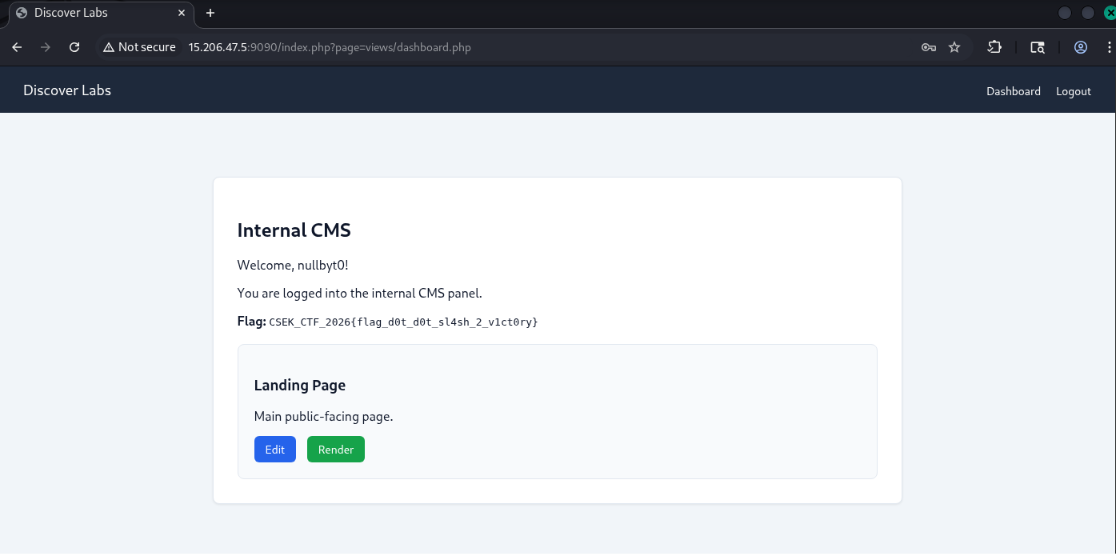
Flag
1
CSEK_CTF_2026{flag_d0t_d0t_sl4sh_2_v1ct0ry}
Summary
This challenge combined several common web vulnerabilities into a short attack chain.
The application exposed a hidden virtual host that contained a Local File Inclusion vulnerability. That LFI allowed me to read the application’s source code, which revealed the location of the SQLite database. Since the passwords were stored as unsalted MD5 hashes, cracking the credentials was straightforward, and logging into the CMS revealed the flag.
The full attack path looked like this:
1
2
3
4
5
6
7
8
9
10
11
12
13
14
15
16
17
18
19
20
21
22
23
24
25
Maintenance Page
        │
        ▼
Virtual Host Enumeration
        │
        ▼
cms.discover.lab
        │
        ▼
Local File Inclusion
        │
        ▼
Read PHP Source
        │
        ▼
Download SQLite Database
        │
        ▼
Crack MD5 Password
        │
        ▼
Login to CMS
        │
        ▼
       Flag
I liked this challenge because it chained together multiple beginner-friendly techniques instead of relying on a single bug. None of the individual steps were particularly difficult, but each one naturally led to the next, making it a satisfying challenge to solve.
Internal Affairs - 2 (Web - 200)
Challenge Information
Initial Analysis
After solving the first challenge, the second one unlocked automatically.
Since I already had valid CMS credentials, I started looking through the available functionality instead of spending more time on reconnaissance.
The dashboard contained a simple page editor with an image upload feature and a preview option.
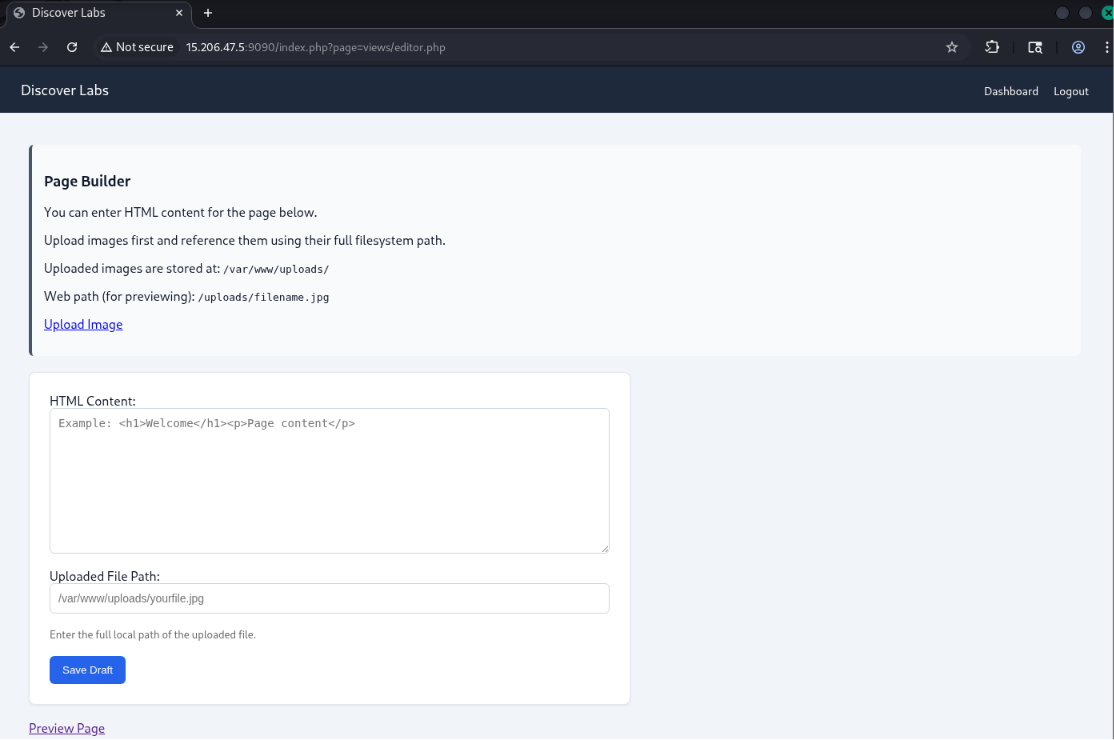
Image upload functionality is always worth investigating, so I decided to see how uploaded files were handled.
Looking Through the Source
During the previous challenge I had already confirmed that the application was vulnerable to Local File Inclusion, which meant I could read any PHP source file inside the web root.
Reading through the application’s source eventually led me to the preview functionality.
While reading the source, one line caught my eye.
1
getimagesize($path);
The path used by getimagesize() was taken from user-controlled input without any validation.
This reminded me of a well-known PHP behavior where certain file functions trigger deserialization when accessing files through the phar:// wrapper.
That looked like the intended solution.
Building the Exploit
The upload functionality only validated the file extension, so it was possible to upload a PHAR archive disguised as a .jpg image.
Once I understood the sink, I built a small PHAR payload using the application’s existing classes so that deserializing the archive would eventually invoke passthru().
1
php -d phar.readonly=0 gen_phar.php
After generating the archive, I uploaded it through the CMS just like a normal image.
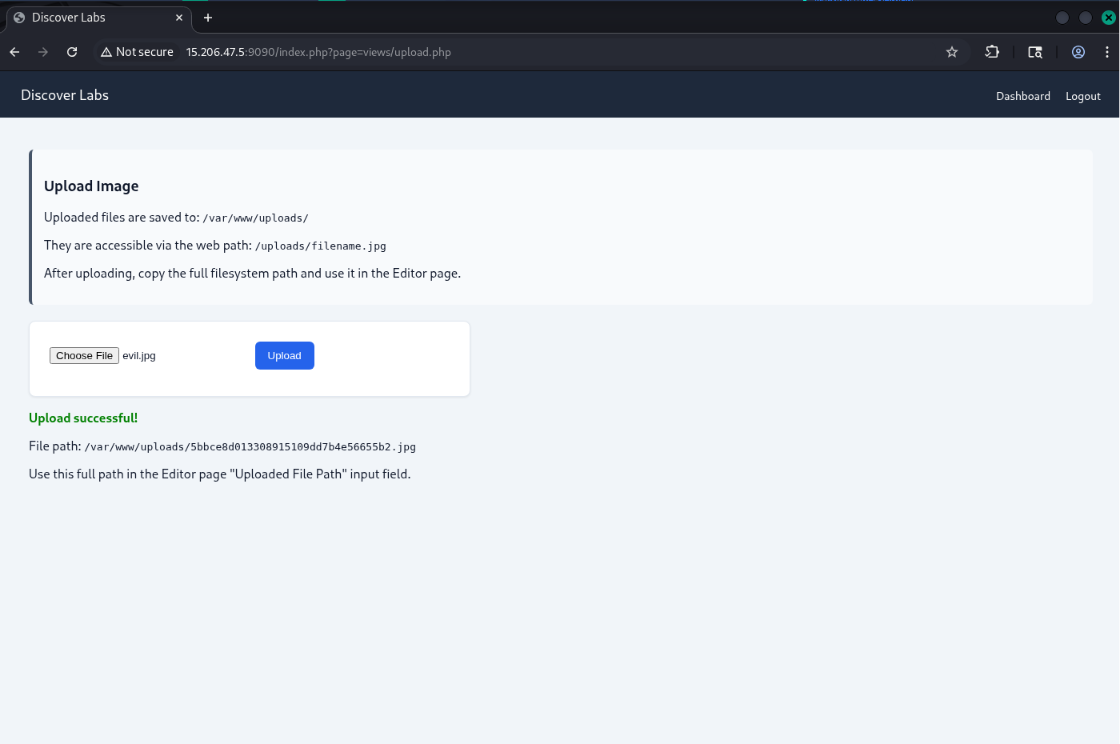
Instead of referencing the uploaded file directly, I pointed the preview feature to the file using the phar:// wrapper.
1
phar:///var/www/uploads/<hash>.jpg/a
When the preview page loaded, PHP attempted to read the image using getimagesize(), which automatically deserialized the PHAR metadata and executed the gadget chain.
The application responded with the second flag.
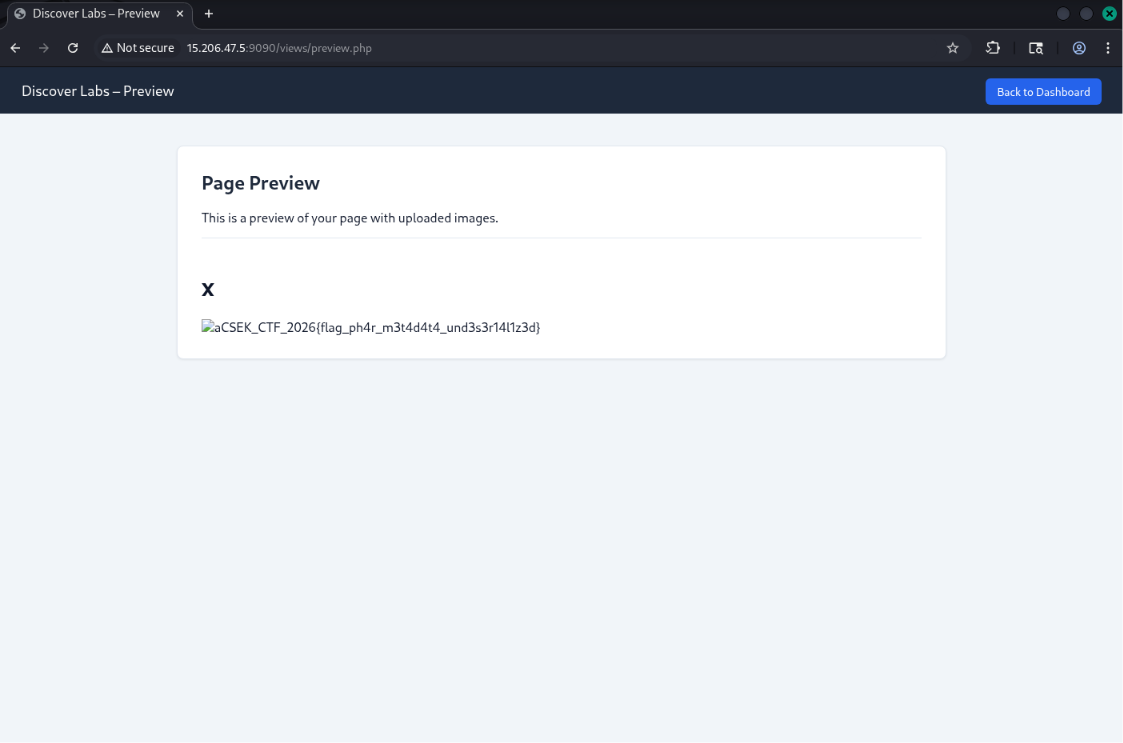
Flag
1
CSEK_CTF_2026{flag_ph4r_m3t4d4t4_und3s3r14l1z3d}
Summary
This challenge built nicely on the first one.
The Local File Inclusion vulnerability from Internal Affairs - 1 wasn’t directly used to obtain the flag, but it made source code review possible, which ultimately revealed the vulnerable preview functionality.
The exploitation chain looked like this:
1
2
3
4
5
6
7
8
9
10
11
12
13
14
15
16
17
18
19
20
21
22
LFI from Challenge 1
        │
        ▼
Read preview.php
        │
        ▼
User-controlled getimagesize()
        │
        ▼
Upload PHAR disguised as JPG
        │
        ▼
phar:// stream wrapper
        │
        ▼
PHP Object Deserialization
        │
        ▼
Remote Code Execution
        │
        ▼
      Flag
I enjoyed this challenge because it demonstrated a lesser-known PHP behavior. File upload vulnerabilities are common, but combining them with the phar:// stream wrapper and getimagesize() to achieve code execution is something you don’t come across very often.
Total Recall (AI & ML - 250)
Challenge Information
Initial Recon
Opening the challenge URL immediately gave away an important clue.
Instead of a web application, the server responded with information about Qdrant, an open-source vector database.
That completely changed my approach.
At that point I stopped looking for traditional web bugs. It was pretty clear the challenge was going to revolve around vector embeddings instead.
1
2
3
4
5
{
  "title": "qdrant - vector search engine",
  "version": "1.8.1",
  "commit": "3fbe1cae6cb7f51a0c5bb4b45cfe6749ac76ed59"
}
Exploring the Database
The Qdrant instance was accessible without authentication, so I started enumerating the available collections.
Two collections were present:
1
2
faq_public
kb_notes
1
2
3
4
5
6
7
8
9
10
11
12
13
14
{
  "result": {
    "collections": [
      {
        "name": "faq_public"
      },
      {
        "name": "kb_notes"
      }
    ]
  },
  "status": "ok",
  "time": 0.00000493
}
The first collection contained both text and embeddings, while the second contained only embeddings.
1
2
3
4
5
6
7
faq_public
    ✔ text
    ✔ vectors

kb_notes
    ✖ text
    ✔ vectors
The payloads had been removed from kb_notes, but all 500 vectors were still there.
At first glance it looked like the interesting data had already been deleted.
Using the FAQ Collection as a Reference
The faq_public collection turned out to be the key.
Since it still contained both the original questions and their embeddings, I could use it to identify which embedding model had been used to generate the vectors.
It took a bit of experimentation, but eventually I found that the stored vectors matched the raw embeddings generated by sentence-transformers/gtr-t5-base.
Once I had the correct embedding model, recovering the hidden notes became much more realistic.
Recovering the Hidden Notes
At this point manually inspecting 500 vectors obviously wasn’t practical, so I dumped the collection and started experimenting with embedding inversion using vec2text.
The first pass produced rough approximations of all 500 notes.
Most of them were ordinary support documentation, but one result immediately stood out because it referenced a secret flag.
To narrow it down further, I searched the vector database using probe phrases such as:
1
2
3
flag
secret
confidential
One particular vector consistently ranked first for every relevant search.
I then performed a higher-quality inversion on that single embedding.
The recovered note contained the following message:
1
2
Secret note:
flag vec to text unrolls the vector.
Building the Flag
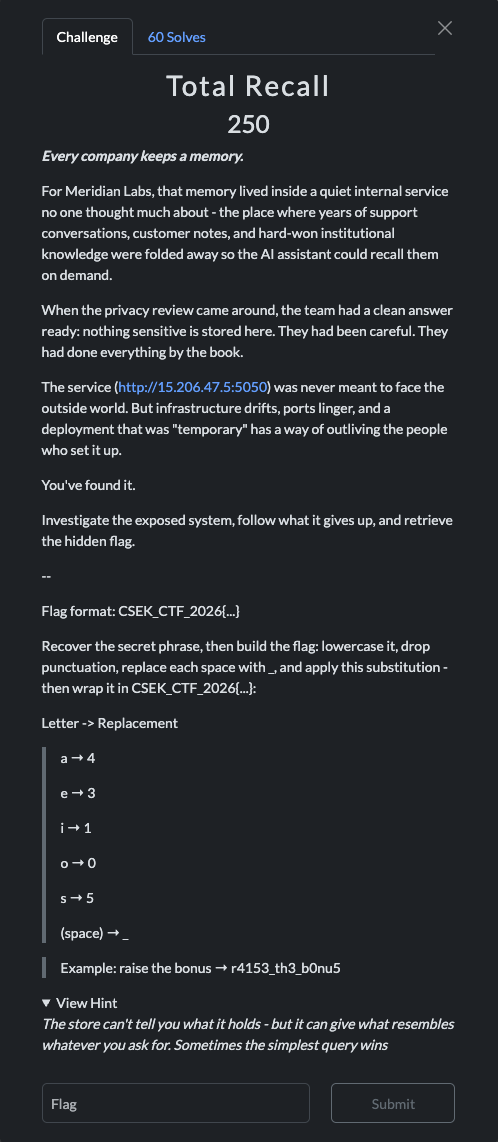
The challenge description explained how to transform the recovered phrase into the final flag:
- Convert to lowercase
- Remove punctuation
- Replace spaces with
_ - Apply the substitutions
1
2
3
4
5
a → 4
e → 3
i → 1
o → 0
s → 5
Applying those rules produced the final flag.
Flag
1
CSEK_CTF_2026{fl4g_v3c_t0_t3xt_unr0ll5_th3_v3ct0r}
Summary
This was easily my favorite challenge of the event because it explored a topic that doesn’t appear very often in CTFs.
The developers had removed the original text from the database, assuming that the stored embeddings no longer revealed anything sensitive. However, modern embedding inversion techniques make it possible to recover surprisingly accurate approximations of the original text.
The overall attack chain looked like this:
1
2
3
4
5
6
7
8
9
10
11
12
13
14
15
16
17
18
19
20
21
22
23
24
25
Public Qdrant Instance
        │
        ▼
Dump Collections
        │
        ▼
Identify Embedding Model
        │
        ▼
Recover Hidden Embeddings
        │
        ▼
Locate Secret Note
        │
        ▼
Invert Embedding
        │
        ▼
Recovered Secret Phrase
        │
        ▼
Apply Challenge Transformation
        │
        ▼
      Flag
Unlike the web challenges, this one didn’t involve exploiting a vulnerability in the traditional sense. Instead, it demonstrated how exposing a vector database can leak information even after the original documents have been deleted. It was a really interesting introduction to embedding inversion and definitely one of the most memorable challenges in the CTF.
As someone who’s learning AI Security, this ended up being my favorite challenge of the CTF. It was my first time working with embedding inversion, and I learned a lot about how vector databases can unintentionally leak information.